
The right message for every customer, at the moment it matters.
Bring customer knowledge, recommendations and WhatsApp, email and SMS journeys together in one marketing approach.
What the product changes
Every step stays clear, from decision to result.
Know every customer
Profiles, history, products held and consents in one place to understand each customer’s situation.
Choose a relevant action
Explainable scores and recommendations help your team choose the right offer.
Orchestrate journeys
Triggers, conditions, channels and follow-ups set up and published by your teams.
Measure and adjust
Track customers reached, engaged and converted, then adjust your rules.
The product on screen
The screens shown here are the ones your teams use.
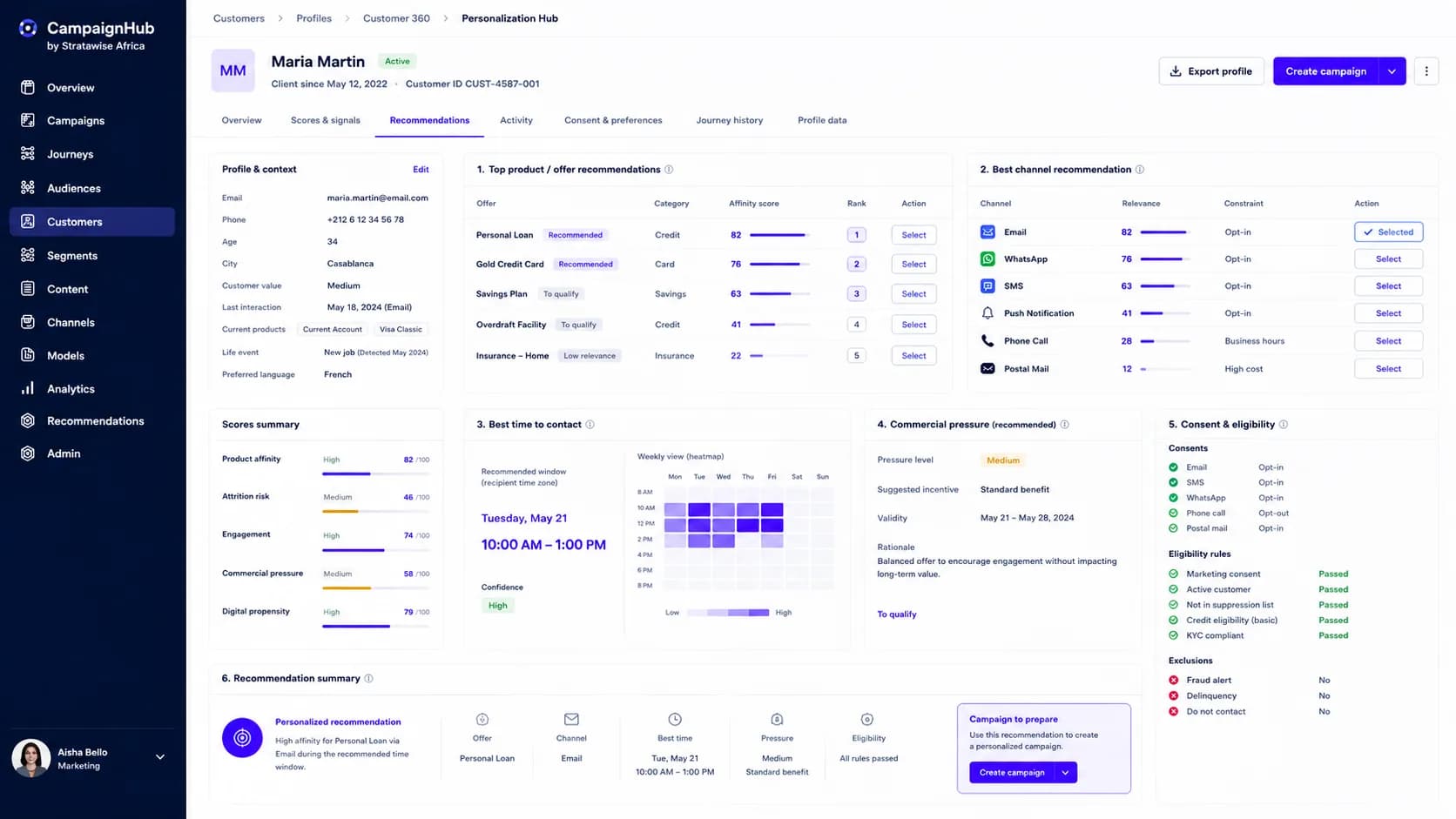
Know each customer before you write
Their products, their interest in each offer, their risk of leaving, their consents and preferred channel: everything you need fits on one profile.
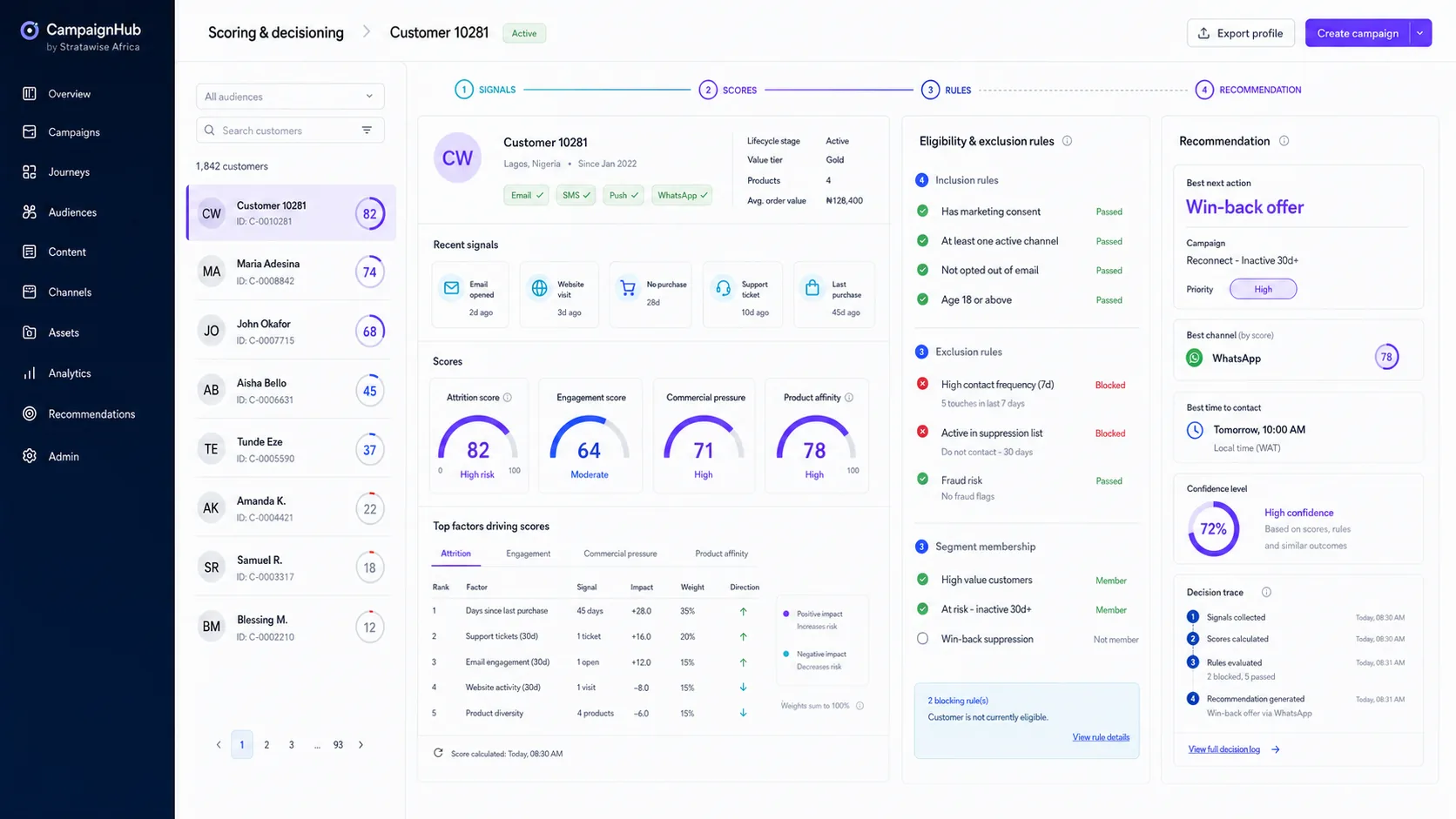
Know why this offer is suggested
Every recommendation shows its reasons: scores, rules met, exclusions. Nothing is a black box; everything can be explained to a manager or an auditor.
Launch journeys that run on their own
One trigger, a few conditions, the best channel among WhatsApp, email and SMS: the journey runs without intervention and stops as soon as the customer responds.
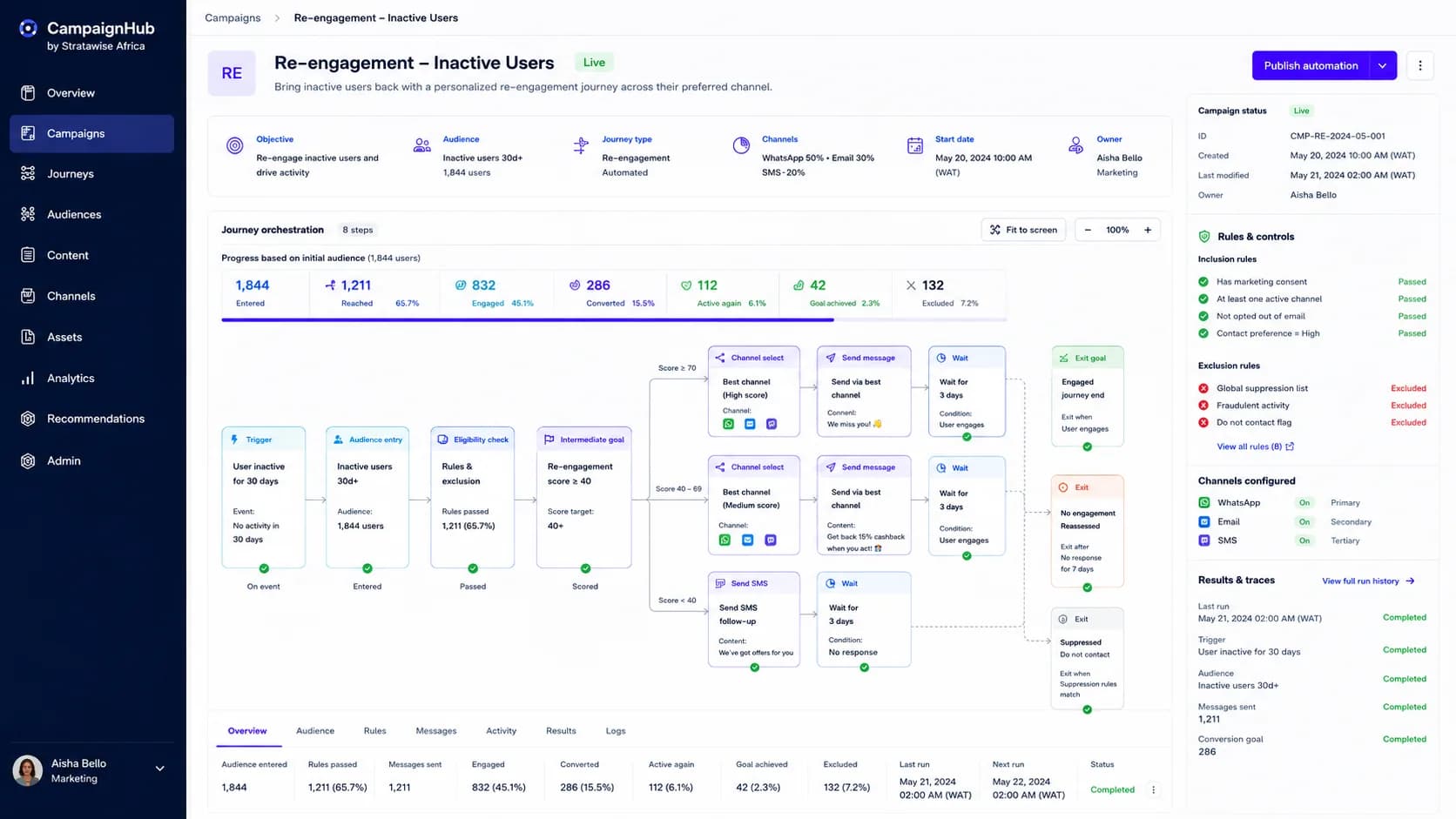
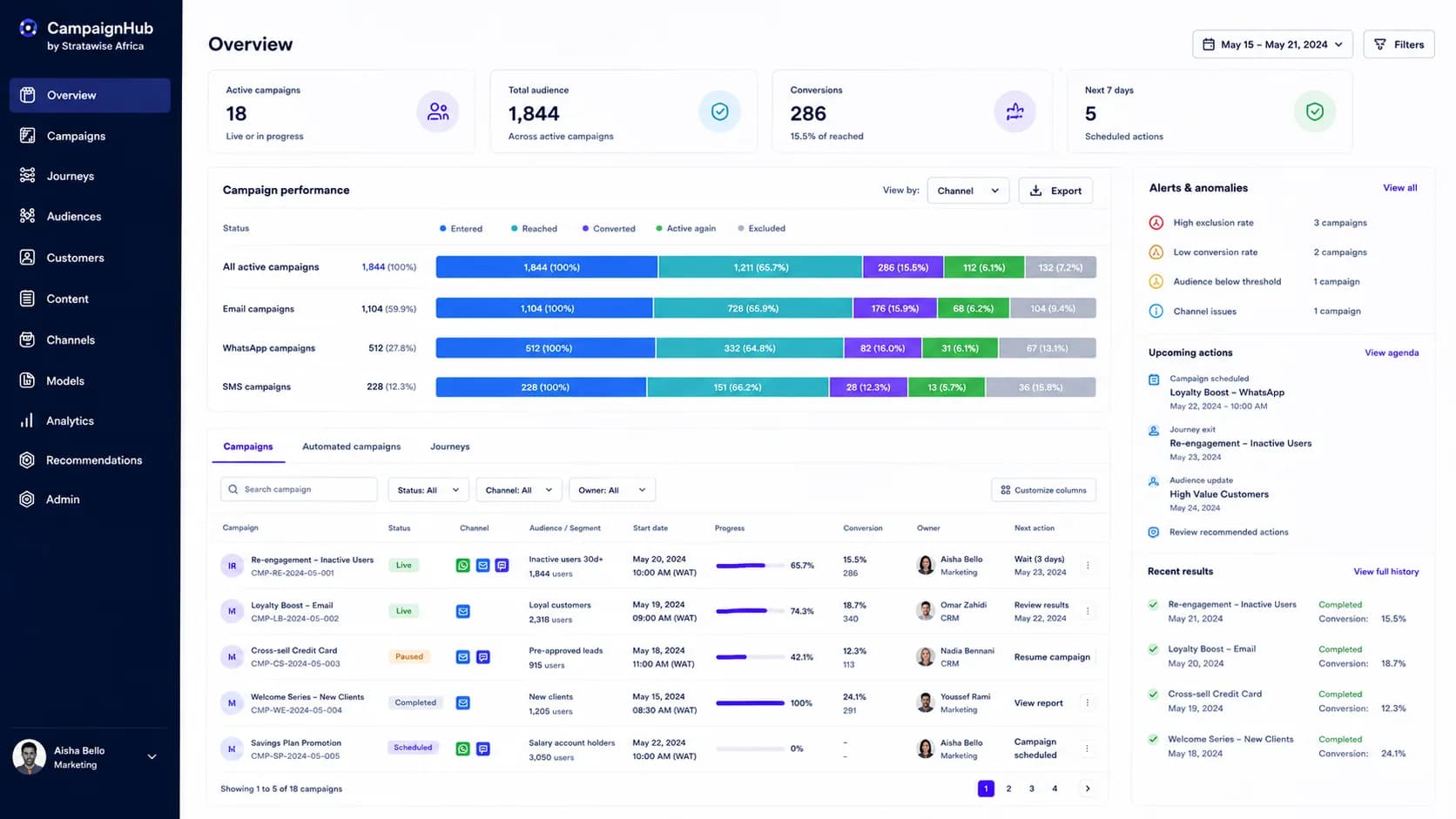
See what each campaign brings in
Customers reached, conversions, channel performance and alerts: you know what works, and what to fix, without waiting for month-end.
How it works
Every step has an owner, from the start of the chain to the end.
- KnowProfiles and consents
- AssessInterest and engagement
- ChooseRecommended offer
- PrepareChannel and timing
- AutomateSends and follow-ups
- MeasureResults and adjustments
In control
Your teams stay in charge.
Connection to your customer data and sending channels is defined during scoping.
- Consents respected
Checked channel by channel before every send.
- Controlled pressure
A frequency rule limits how often customers are contacted.
- Explainable decisions
Check the settings history to understand a past decision.
Frequently asked questions
Here are the answers to the questions we hear before scoping.
Which channels does CampaignHub use?
Automated journeys send by WhatsApp, email and SMS. The customer profile also scores other channels (notification, call, mail) to help choose the right one.
How is consent applied?
It is checked channel by channel before every send. A customer who declined a channel is not contacted on it, and exclusion lists (do not contact, fraud alert, suppression list) block the send.
How do you avoid over-contacting a customer?
Commercial pressure is measured for each customer, and a frequency rule blocks a send when the customer has already been contacted too often over the period.
Who configures and approves journeys?
Your marketing teams: they define the trigger, conditions and channels, then publish the journey, which then runs automatically. Recommendations remain suggestions: the team decides to create the campaign.
What does CampaignHub measure, and what does it not prove?
At every step and by channel, it counts customers who entered, were reached, engaged, converted, came back and were excluded. A conversion is linked to the journey that preceded it; on its own, it does not prove the message was the only cause.
Which data sources can be connected?
The connection to your customer data (profiles, products held, interactions, consents) is defined during scoping, depending on the systems you use.
A focused conversation
Let’s look at CampaignHub in your context.
Talk with our teams to see how our solutions can address your priorities.